 JobShack
Field-operations & job-costing platform
Bring your accounting system into the field.
Your crews stop guessing, your office stops re-typing, and you stop finding out about problems a month late. JobShack puts your jobs, cost codes, and people on every phone in the company — without replacing the accounting system you already trust.
Time, labor, projects, schedules, receipts, documentation, equipment, and safety — turn on only the modules you need.
- Free for 14 days
- Cancel any time
- No long-term contract
- Onboarding built around your company
A payment method is required to start. Nothing is charged for the first 14 days.
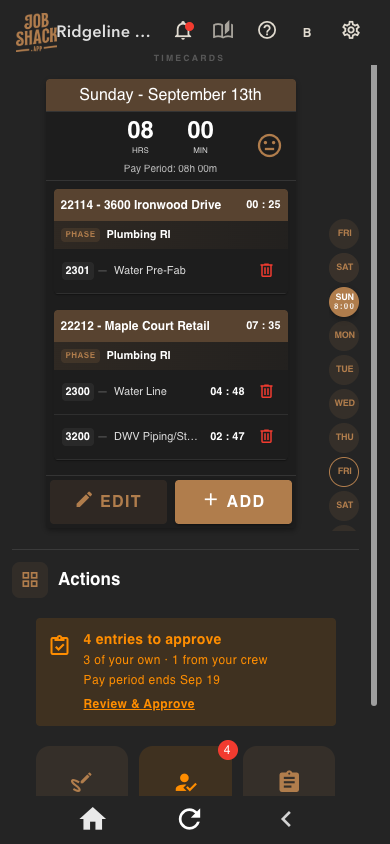
Timecards
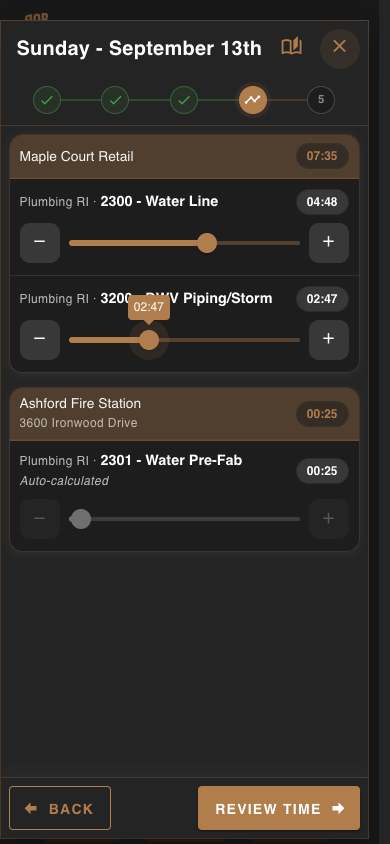
Hours already split by job and cost code
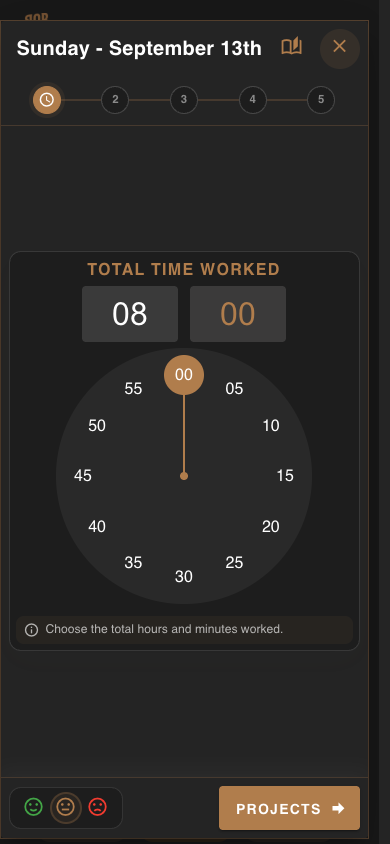
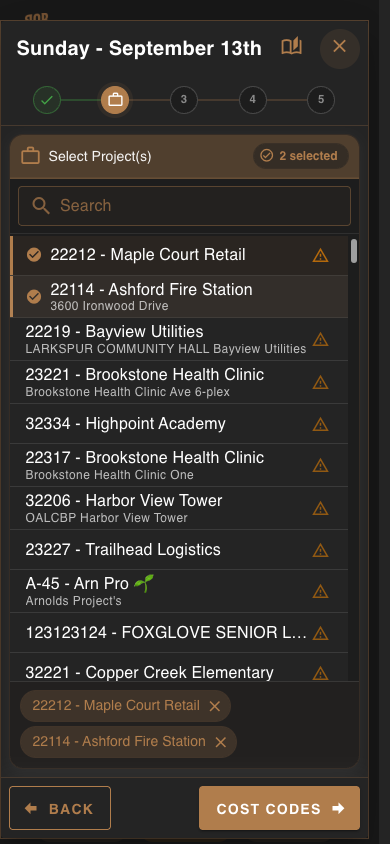
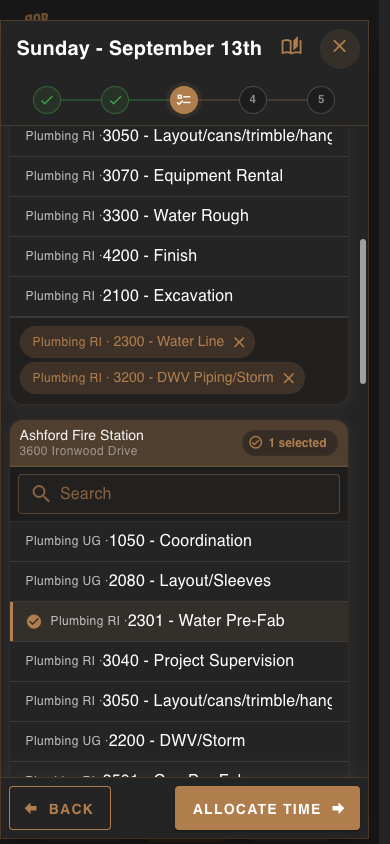
The office has the data. The field needs usable access.
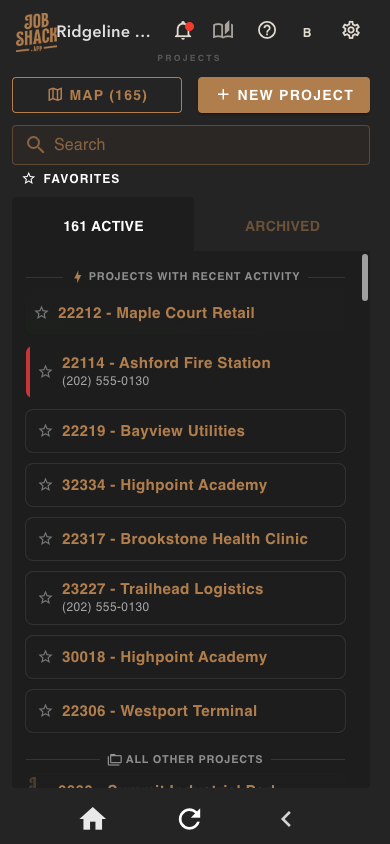
Your accounting system already knows the jobs, cost codes, budgets, and employees. JobShack organizes that information for the field — and returns time, cost, approvals, and documentation to the office — instead of asking anyone to re-enter it twice.
Accounting system and company data
↓
JobShack organizes it for the field
↓
Employees, foremen, and office staff use the same information
↓
Time, cost, approvals, documents, and progress return to the office
Sound familiar?
You are not disorganized. You outgrew the tools you started with.
Somewhere past ten or twenty people, the texts, spreadsheets, and paper that got you here stop holding. Here is what that actually feels like — and what JobShack does about it.
SMS broadcasts, custom alerts, and real-time job progress. Past 10 or 20 people, communication is the job — so it is built in, not bolted on.
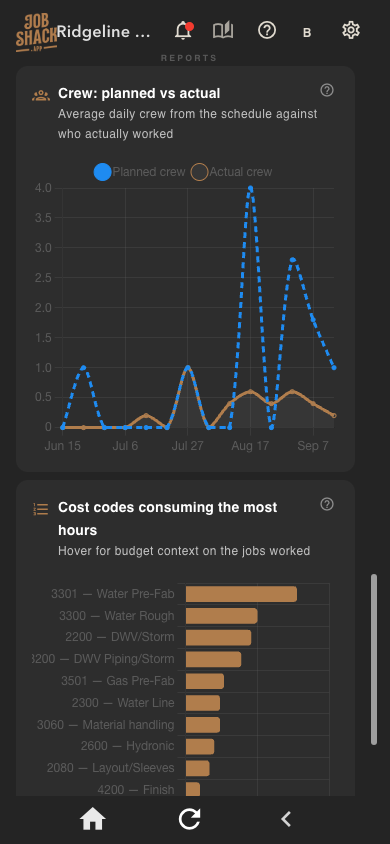
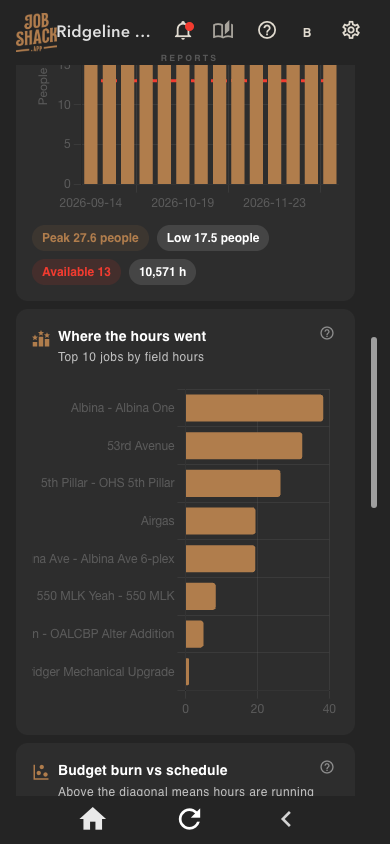
Live hours against budget by job and cost code. You see the overrun the week it starts, not at closeout.
Field time flows straight to your accounting system against the same jobs and cost codes. No double entry, no re-keying, no transcription mistakes.
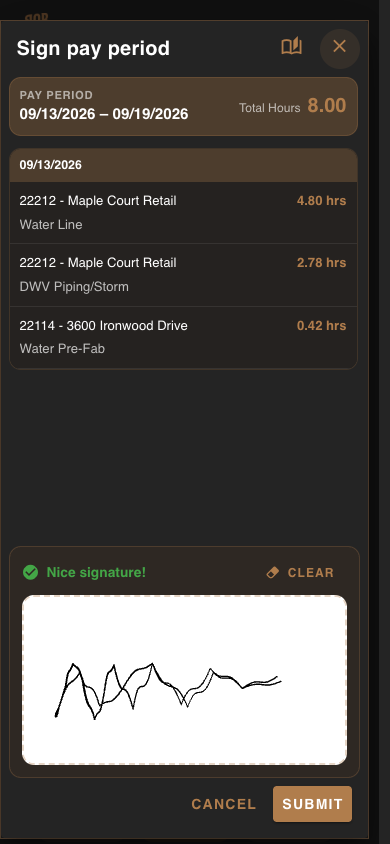
The timecard module suggests the right jobs and codes, auto-calculates the remainder, and gets signed on the phone. Payroll stops being a manhunt.
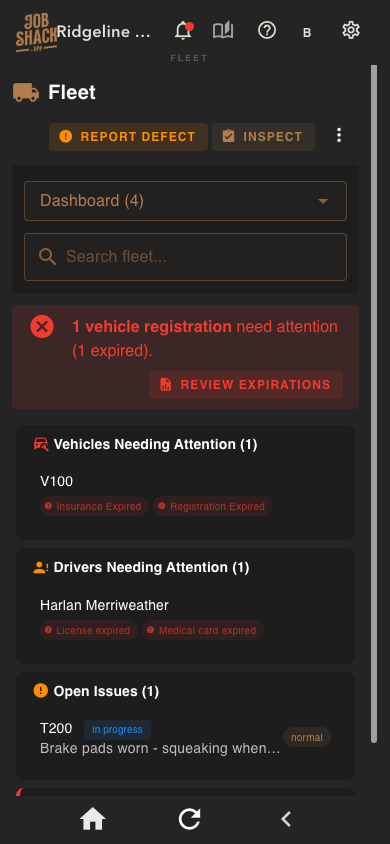
Full fleet manager, Tool20 location tracking, and a central document store. One place to look, on any phone in the company.
Turn on only the modules you need and pay only for what you use. The system fits the company you are now, and grows when you do.
What you will not find in a generic field app
JobShack was built by people who ran the work, for contractors who need the details right.
Suggests jobs and cost codes from real activity, auto-calculates remaining hours, and captures a signature in the field.
Jobs, cost codes, employees, and hours live in one place and move between office and field automatically.
Vehicles, expirations, inspections, and defects tracked with the same job-cost discipline as labor.
Know which tool is on which job and who had it last — before you buy the fourth one.
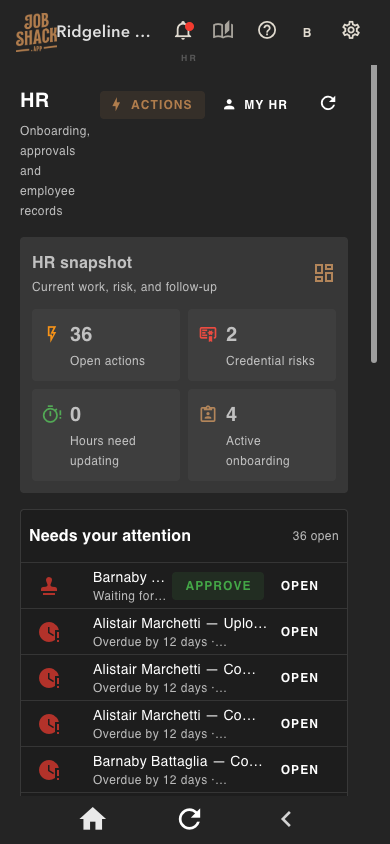
New hires, documents, and records handled in the system the crew already opens every morning.
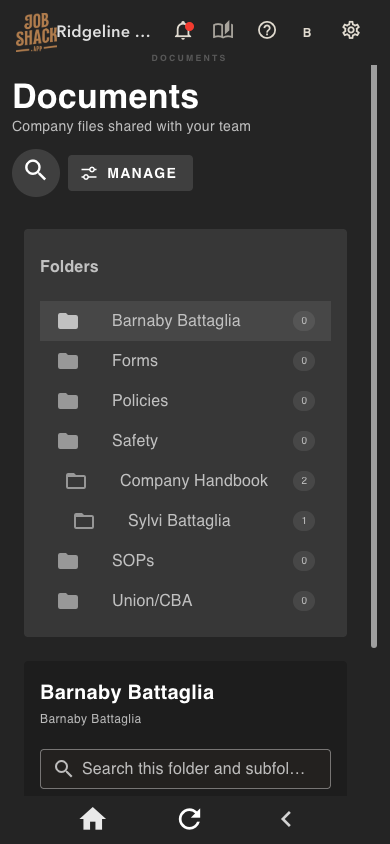
Every form, cert, plan, and photo the field actually needs, reachable from a phone.
Field notes turn into readable, searchable daily reports instead of a text thread nobody keeps.
Reach a crew, a job, or the whole company — and get told when something crosses a threshold you care about.
Planned versus actual crew, hours burned by cost code, and where the job stands today.
The numbers your accountant asks for, in views your PMs will actually use.
Modules, permissions, and workflow shaped to how your company runs — not a template you conform to.
Turn modules on as you need them. No enterprise bundle you grow into for three years.
Built around the roles that actually use it
Sees labor and job cost roll up from every crew, manages approvals, and configures company settings and permissions.
Reviews the crew’s time by job and cost code, adjusts allocations, and submits for office approval from the field.
Enters time against real jobs and cost codes from a phone, without needing to know the accounting system behind it.
Accounting system integrations
Keep the accounting system you already depend on. JobShack connects to it and gives your teams a practical way to work with that data in the field.
Keep ComputerEase as your accounting foundation. Give the field a workflow that matches it.
Learn about this connection →Connect Sage job and cost data to a configurable field-operations workspace.
Learn about this connection →Keep QuickBooks Desktop in place. Give the field access to jobs and cost codes.
Learn about this connection →The most self-service connection path — still one of several, not the whole story.
Learn about this connection →One platform, configured around your company
One source of jobs, cost codes, and employees — shared instead of re-entered.
Time, budgets, and approvals stay tied to the job and cost code they belong to.
Daily reports, receipts, tasks, and schedules connect the crew to the office.
Fleet, tool tracking, safety meetings, and submittals as the company grows.
Turn on the modules your company needs, with role-based permissions.
Getting started
Onboarding is arranged around your company, not a checklist.
Every contractor comes in with a different accounting system, a different crew size, and a different idea of what needs fixing first. So we set onboarding up individually — there is no generic rollout script.
Sign up and look around on your own, or book a consultation first if you would rather see it walked through with your workflow in mind. Either path reaches the same place.
ComputerEase, Sage 100 Contractor, QuickBooks Desktop, or QuickBooks Online — each connects differently. We confirm what your setup actually needs before anything is committed.
Jobs, cost codes, employees, and permissions get shaped to your company structure. You turn on what matters first; the rest can wait until you want it.
Training is arranged individually — one crew or the whole company, on site or remote, whatever fits how your people actually work.
The harder questions
For the people who have to sign off on it
- Labor lands against the same jobs and cost codes your financials already use — no reconciliation layer.
- Budget versus actual by cost code, updated as time is entered rather than at period close.
- Approval chain is explicit: employee submits, foreman reviews, office approves, and every step is recorded.
- Module-based pricing means cost scales with what you actually turned on.
- Connects to ComputerEase, Sage 100 Contractor, QuickBooks Desktop, and QuickBooks Online — you keep your system of record.
- Time arrives coded, signed, and approved, so payroll is a review step instead of a data-entry week.
- Nothing is hard-deleted. Corrections leave a trail you can defend in an audit.
- Receipts and documentation attach to the job they belong to, not to somebody’s glovebox.
- Multi-tenant cloud platform on AWS. Each company’s data is isolated at the schema level.
- Native apps on the App Store and Google Play, plus a full browser version — no per-device rollout, no on-prem server to babysit.
- Role-based permissions down to the module, so access matches the org chart.
- Managed updates. Your team is not on the hook for patching or upgrades.
Some of our customers
Contractors already running on JobShack.








…and many others.
Using JobShack and want your logo here? Let us know and we'll add it.
How we build
The people using it decide what gets built next.
Most of what is in JobShack today started as a phone call from a foreman or a bookkeeper who said "this part is still awkward." We design from that feedback rather than from a roadmap written in a room with no contractors in it.
It is a real advantage of working with a team your size: when something in your workflow does not fit, you can tell us, and it can actually change.
Not a ticket queue that closes itself after three days.
Shaped by crews, foremen, and office staff doing the work daily.
You are not waiting on an annual release cycle.
Specialty contractors are who we build for, not a side market.
Start today
Get your crews on it this week.
Start the trial and look around on your own, or book a consultation and we'll walk through your accounting system, your field operations, and where JobShack fits. No pressure either way.
- Free for 14 days
- Cancel any time
- No long-term contract
- Onboarding built around your company
A payment method is required to start. Nothing is charged for the first 14 days.